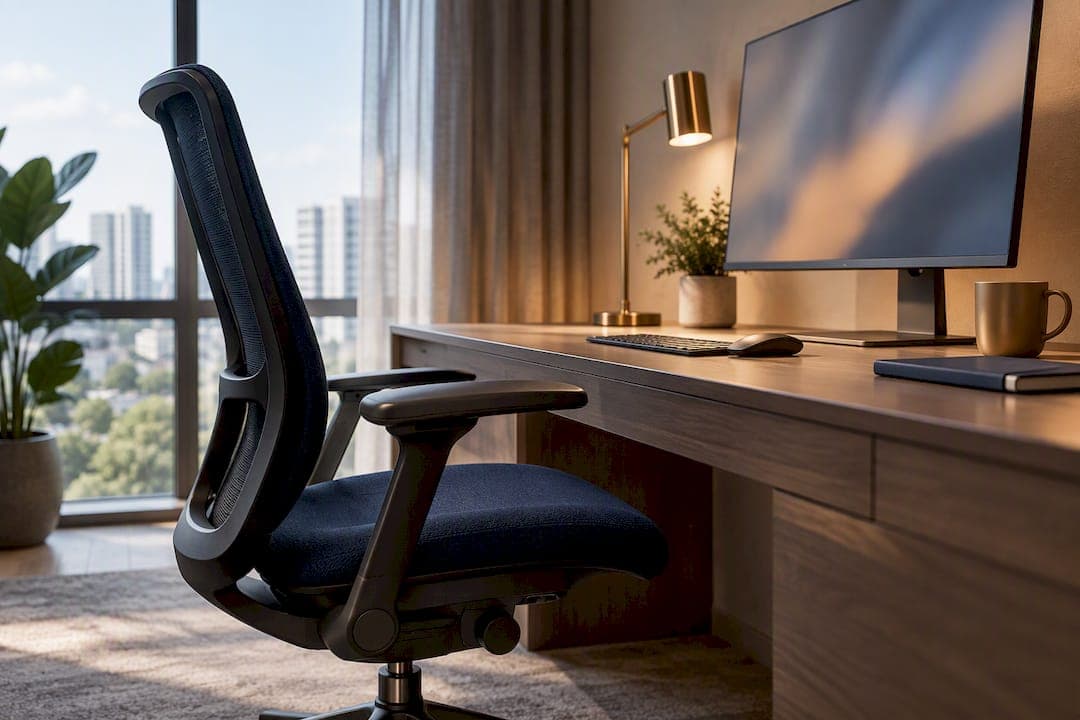
The fastest fix for a home office in condo living is to pick one dedicated spot: a nook, wall slot, or closet, and match it with a fold-away or slim desk, an adjustable chair, and a monitor arm. Two things matter more than décor: ergonomics that follow Singapore's SS 514 guidance, and a visual cue that separates "working" from "home" once you log off. Condo rules on wiring or common-area work may shape what you can actually install.
TL;DR:
- A wall slot or closet office with a slim desk and monitor arm maximizes space and maintains ergonomic posture in small condos.
- Furniture choices like fold-down desks or corner setups benefit from adjustable chairs, monitor arms, and proper cable management for a clutter-free workspace.
- Applying SS 514 ergonomics involves adjusting chair height, monitor position, and accessories such as laptop stands to suit small condo layouts.
- Electrical wiring and renovation require condo-specific approvals, with simple socket replacements typically needing only notification.
- Small, versatile setups like a closet office, a corner desk, or a foldable console can meet different needs without extensive space or major rules challenges.
Table of Contents
- Where Should You Place a Home Office in a Condo?
- Which Furniture Choices Actually Save Space?
- How Do You Apply SS 514 Ergonomics at Home?
- What's the Best Way to Handle Storage and Cables in a Small Condo?
- How Do You Fix Lighting and Sound for Video Calls?
- What Condo Rules Apply Before You Rewire or Renovate?
- Three Realistic Home-Office Setups You Can Copy
- Publisher Perspective: Smart Condo Design Meets Smart Buying
- Sources
- FAQ
Where Should You Place a Home Office in a Condo?
Not every corner deserves a desk. A corner-by-window spot gets natural light but risks screen glare if you face the glass. A wall slot in a hallway or living room works if you have at least 90 cm of depth and an outlet within reach. Behind-sofa consoles double as room dividers, though they rarely fit a full-size monitor setup comfortably. A cloffice, short for closet office, turns a wardrobe into a private workstation, but shallow closets often lack ventilation and need a plug-in light source since most closets skip overhead fixtures.
Before you commit, measure and note:
- Available floor depth and width (aim for at least 60 cm deep, 90 cm wide for a slim desk)
- Natural light direction and glare angle from windows
- Nearest power outlet distance
- Airflow, closets and alcoves can trap heat without a vent or fan
- Ambient noise from shared walls, kitchens, or hallways
If your unit has a dedicated study nook, layouts like those covered in guides on study room sizing in condos show how even a small footprint can outperform a larger, poorly lit room.
Which Furniture Choices Actually Save Space?
Four desk types cover most condo scenarios, and each trades footprint for flexibility:
- Wall-mounted fold-down desk — folds flat against the wall when not in use, ideal for studios under 500 square feet, but limited to laptop-only setups.
- Corner desk — uses dead space efficiently, typically needs an L-shaped footprint of about 120 cm by 120 cm.
- Slim straight desk — 100 to 120 cm wide, 45 to 50 cm deep, works well against a wall slot or behind a sofa.
- Cloffice desk — built to closet dimensions, usually 60 to 75 cm deep, best paired with open shelving above.
For seating, prioritize a chair with adjustable height and a compact five-wheel base over one with armrests that eat lateral space. A monitor arm and a slide-out keyboard tray matter more than desk size. Mounting a monitor on an arm reclaims roughly 20 to 25 cm of desktop depth, which is often the difference between a cramped 90 cm desk and one that actually lets you sit at a proper viewing distance.
Pro Tip: Buy the monitor arm before the desk. Arm clamp ranges vary, and a desk edge under 2.5 cm thick can reject some clamp-style mounts entirely.
How Do You Apply SS 514 Ergonomics at Home?
Singapore's SS 514 code of practice on office ergonomics sets concrete targets, not vague suggestions. Chair height should adjust between 35 and 50 cm, backrest angle should sit between 100 and 120 degrees, and the chair needs five castors for stability on hard flooring. Your monitor's top edge should sit at or below eye level, positioned roughly an arm's length away, with keyboard and mouse at the same height to avoid wrist strain.

In a small condo, hitting those numbers usually means adding accessories rather than buying a bigger desk. A laptop stand raises screen height without adding footprint. An external keyboard lets you push the laptop back and use a monitor arm for the primary display. A seat cushion or adjustable gas-lift chair closes the gap when a desk is fixed at the wrong height for a rented unit.
Run this quick check before buying anything:
- Sit down and let your feet rest flat, knees roughly level with hips
- Check that your elbows form close to a 90 degree angle at the keyboard
- Look straight ahead. If you're tilting your chin up or down to see the screen, adjust monitor height first
- Confirm your lower back touches the backrest without slouching forward
SS 514 treats ergonomics as physical, environmental, and psychosocial all at once, and it includes a sample checklist in Annex A worth running through before you spend on furniture, especially if your setup will hold for more than a few months.
What's the Best Way to Handle Storage and Cables in a Small Condo?
Floor space in a condo office is nearly always the scarcest resource, so push storage vertical. Floating shelves above the desk hold reference books and supplies without eating floor area, while a slim wall cabinet can double as a printer nook. For cables:
- Route power strips along the desk's back edge, hidden by a cable tray or raceway
- Use a single docking cable or hub for your laptop to cut down on tangled cords
- Choose a surge-protected strip near the outlet rather than running an extension cord across a walkway
- Mount your monitor on an arm to free the surface for actual work materials
That monitor arm move matters twice here: once for ergonomics, once for storage, since a cleared desktop makes the whole space feel less cluttered even when the room itself hasn't grown.
How Do You Fix Lighting and Sound for Video Calls?
Position your monitor perpendicular to windows, not facing them, to cut glare during the brightest hours. Add a warm-to-neutral task lamp (around 4000K) near your camera angle so video calls don't wash you out or cast harsh shadows.
For sound, a rug under the desk and a fabric-backed shelf behind you absorb echo better than bare walls ever will. Soft furnishings, curtains, throw pillows, even a folded blanket on a shelf, cut down on the flat, boxy sound that shared-wall condos tend to produce. A thoughtful color consultation can also help you pick wall tones that read well on camera instead of looking gray or overexposed.

What Condo Rules Apply Before You Rewire or Renovate?
Anything touching common areas or main electrical risers typically needs MCST notification, sometimes formal approval. Simple in-unit swaps, like replacing a light fixture or adding a socket on an existing circuit, may only require notification rather than a full review.
Before booking any electrical work:
- Confirm whether the job needs MCST sign-off or just notification
- Ask about permitted work hours; many developments restrict noisy work to weekday daytime slots
- Check if a refundable deposit applies for potential common-area damage
- Verify the contractor is registered and has experience with condo-specific rules, not just standalone housing jobs
Pro Tip: Ask your electrician for two references from other units in the same building or a similar development. Contractors who've navigated your building's management style once move faster the second time.
If your renovation plans touch wiring near a utility closet, it helps to understand what's already routed through a condo's utility room before assuming a new circuit is a simple add.
Three Realistic Home-Office Setups You Can Copy
Pick the template that matches your unit, then shop against the checklist below.
- The shared-bedroom cloffice: convert a 60 to 75 cm deep closet, add a slim shelf-desk, LED strip light, and a small clip-on fan for airflow. It is best for anyone sharing a bedroom who needs a visual boundary at day's end.
- The living-room corner for full-day work: an L-shaped 120 cm corner desk, ergonomic chair, and monitor arm, screened by a bookshelf or curtain to separate it from the living area when you're off the clock.
- The slim console for occasional use: a 100 cm foldable console table against a hallway wall, used a few hours a week, stored flat otherwise.
Before you order anything, confirm:
- Exact clearances (desk width, depth, and swing room for the chair)
- Weight limits for any wall-mounted shelf or monitor arm fixing, especially on drywall
- That your must-have list covers a proper chair, monitor arm, and external keyboard, not just a desk
Watch for red flags when buying or hiring: missing dimensions in a listing, vague or absent return policies, and contractors who can't speak to condo-specific coordination.
Publisher Perspective: Smart Condo Design Meets Smart Buying
Aurea's own layout thinking, from study-room sizing to 3-bedroom floor plan guides, reflects the same logic in this article: efficient corners beat oversized rooms. Readers weighing a bigger layout change should browse Aurea's other planning resources first.
— Velisa
Sources
- Work-related musculoskeletal disorders: Code of practice on office ergonomics — HealthXChange
- SS 514 Code of practice for office ergonomics — Singapore Standards preview
- Electrician for your condo — what to know — Mr Electrician (blog)
FAQ
What Is the Best Layout for a Small Condo Home Office?
A wall slot or nook with a slim desk and monitor arm usually works best, since it preserves floor space without sacrificing screen distance. Corner desks are the next best option if you have an L-shaped gap of about 120 cm by 120 cm.
Does SS 514 Apply to Home Offices, or Just Workplaces?
SS 514 was written for office ergonomics generally, but its chair, monitor, and posture targets apply just as well at home. Following its chair height and backrest angle recommendations helps avoid strain whether you're in a corporate office or a condo nook.
Do I Need MCST Approval to Set Up a Home Office in My Condo?
Setting up furniture rarely needs approval, but electrical changes that touch shared risers or common areas usually do. Simple in-unit socket or fixture swaps may only need notification rather than full approval.
How Much Desk Depth Do I Actually Need?
A slim desk at 45 to 50 cm deep works for laptop-only setups, but a monitor arm can reclaim 20 to 25 cm of that depth, letting you use a narrower desk without losing proper viewing distance.
What's the Cheapest Way to Improve My Condo Office Setup?
A laptop stand, an external keyboard, and a task lamp solve most posture and lighting problems before you spend on new furniture. Add a monitor arm next since it fixes screen height and frees desk space in one move.